Monitoring Home Network Latency using SmokePing with Docker Compose
Continuous home network monitoring with SmokePing running via Docker Compose, providing real-time latency graphs for Internet sites and DNS servers.

After moving back home, I noticed my home internet was inconsistent. Speeds sometimes hit ~100 Mbps, sometimes dropped to ~3 Mbps. Latency also felt unpredictable. I had no historical data, so I couldn’t tell whether the problem was the ISP, Wi-Fi interference, or devices — only that it felt unstable.
To reduce local overhead, I added a new router, Ruijie RG-EW1200G PRO, behind the ISP ONT (Huawei EG8145V5) and disabled the ONT Wi-Fi. All home devices — laptops, phones, etc. — connect through the Ruijie AP. The MikroTik router is used only for the Proxmox homelab, isolating it from normal home traffic. There’s no QoS, traffic shaping, or advanced routing applied. The homelab runs on a Dell OptiPlex with Proxmox.
For visibility, I deployed SmokePing to monitor latency over time. I’m not comparing before/after or drawing conclusions; the goal is purely observation. SmokePing runs in a Docker container inside an LXC on Proxmox. I chose the linuxserver/smokeping image because it comes with all monitoring probes preconfigured by default. I considered Uptime Kuma as a second option, but it requires manually adding each target.
Here’s the Docker Compose I used:
services:
  smokeping:
    image: lscr.io/linuxserver/smokeping:2.9.0
    container_name: smokeping
    hostname: prod-monitoring
    environment:
      - PUID=1000
      - PGID=1000
      - TZ=Asia/Jakarta
      - CACHE_DIR=/tmp
    volumes:
      - /root/smokeping/config:/config
      - /root/smokeping/data:/data
    ports:
      - 80:80
    restart: unless-stopped
Everything runs with default settings: probes, intervals, and targets are unchanged. SmokePing has only been running for about a day, so there’s no trend or analysis yet. The data is for personal monitoring — to have a baseline reference and see connectivity patterns over time.
Here’s a simple view of the network layout:
[ISP ONT - Huawei EG8145V5]
          │  (WAN)
          ▼
[Ruijie RG-EW1200G PRO Router + AP]
          │
          ├─> [Home Devices / Laptop / Phone]
          │
          └─> [MikroTik → Proxmox Homelab]
                   │
                   ▼
               [LXC → Docker → SmokePing]
Home devices connect through the Ruijie AP while MikroTik isolates the Proxmox homelab running SmokePing for latency monitoring
Here’s a look at the SmokePing dashboard after a day of running:
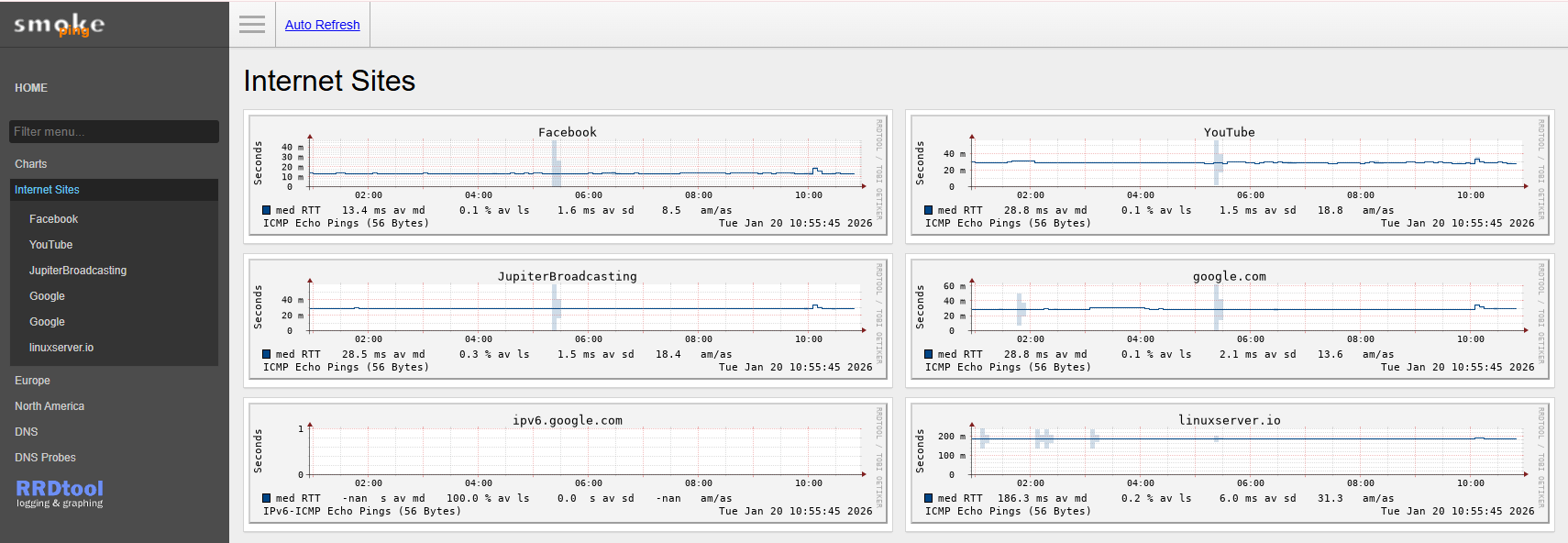
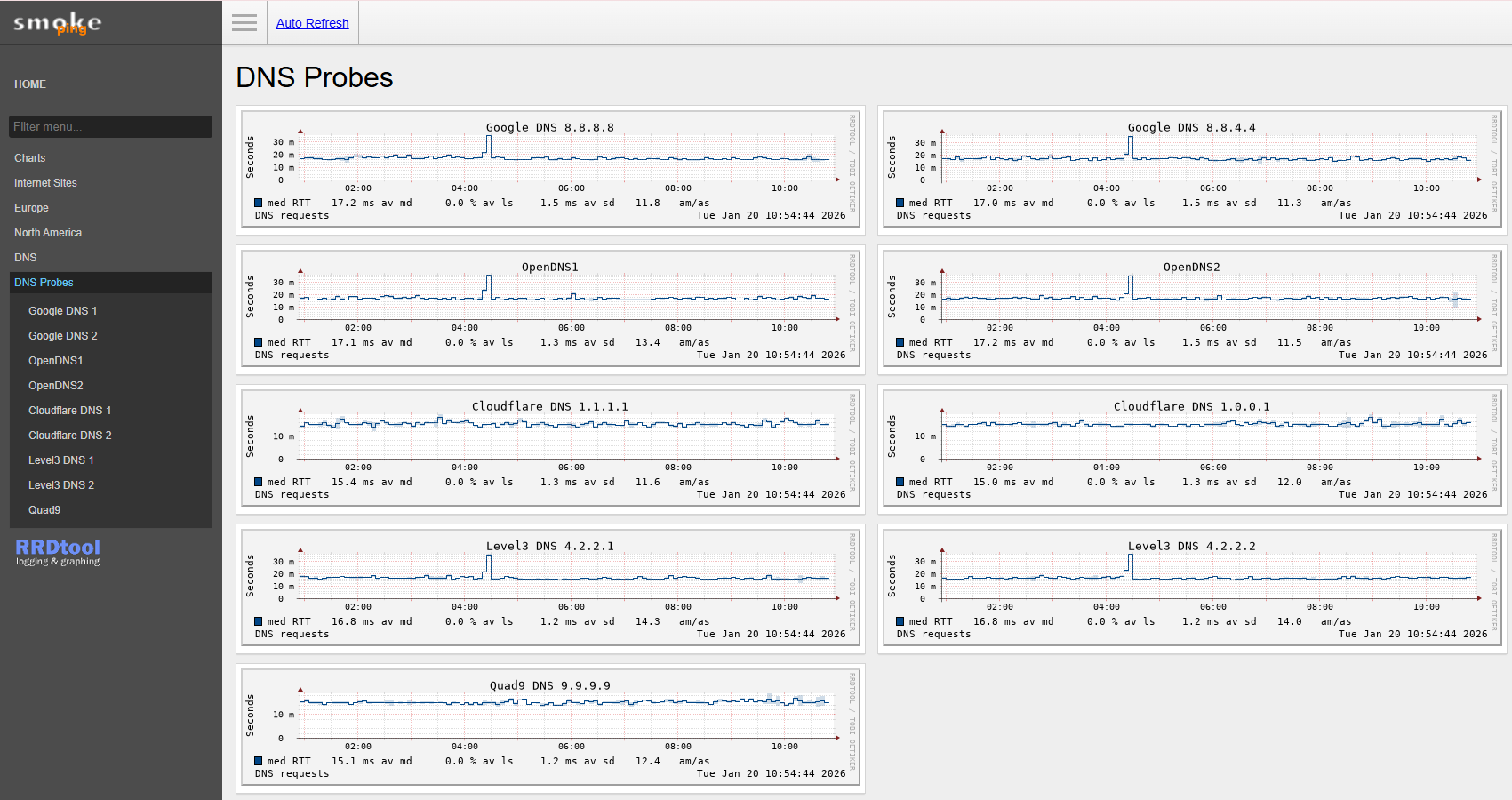
And here are the resource stats for the SmokePing container on Proxmox:
NAME        CPU %   MEM USAGE / LIMIT      MEM %
smokeping   0.01%   122.3 MiB / 2 GiB     5.97%
SmokePing container stats from docker stats: very low CPU and memory usage
In conclusion, the setup demonstrates a low-overhead method to continuously monitor home network latency using SmokePing in Docker on Proxmox, with the Ruijie RG-EW1200G PRO handling routing and Wi-Fi, and MikroTik isolating the homelab; key takeaways are that preconfigured probes simplify deployment, resource usage is minimal (~0.01% CPU, ~123 MiB RAM), and continuous ICMP monitoring provides baseline visibility without impacting home devices; future work includes bridging the ONT for full end-to-end visibility, adding internal hop targets, correlating latency with time-of-day usage, and longer-term trend analysis once sufficient data is collected.